Google has released Genie 4, a new world model that simulates real-world physics and human behavior in real-time. It enables interactive dialogue, audio-like music and ambient noises to be generated simultaneously with the world.
Tailscale SSH has identified security vulnerabilities related to privilege escalation, which can be exploited by authorized users. A patched client release is expected by the end of October 27, with updated access policies and configuration recommendations provided.
Anthropic's life sciences team is accelerating disease cure development through partnerships with six organizations and in-house research. They aim to integrate AI into all stages of drug discovery, from target identification to clinical trials.
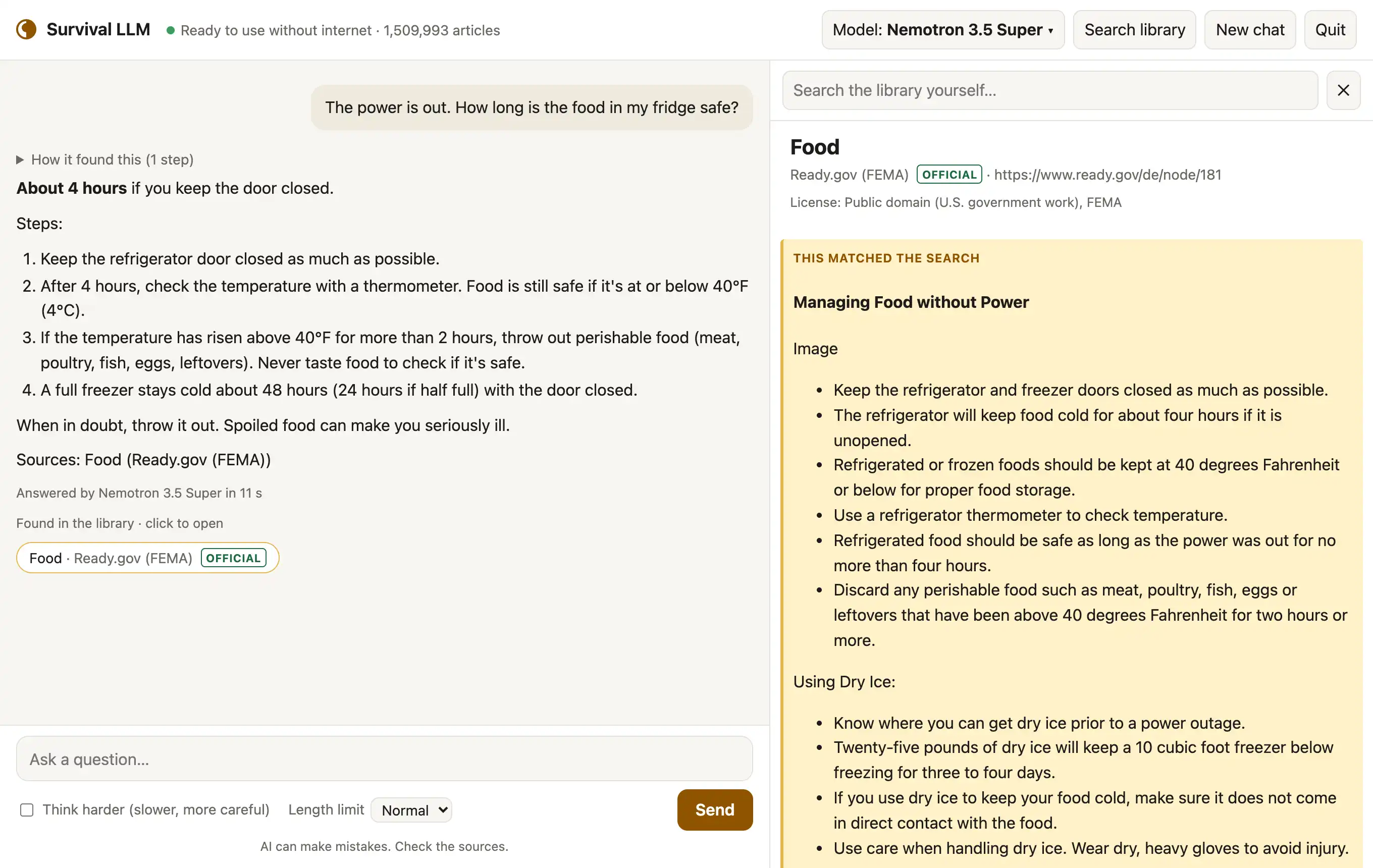
Survival LLM is a free AI assistant that provides trusted answers on various topics, including emergency situations and survival skills. It runs locally on your computer without requiring an internet connection after initial setup.
A Shanghai government feed provides daily updates on grant, subsidy, and policy notices for researchers and consultants. The feed is refreshed daily from nine official sources in plain JSON format.
Two new Raspberry Pi boards, the Zero 3 W and a Model A version of the Pi 4, have been spotted in the Linux kernel tree with improved specs. The devices are expected to be released soon, but no official announcement has been made yet.
Apple has announced the new 14-inch MacBook Pro with M6 chip, delivering improved performance and AI capabilities. The laptop features a powerful 12-core CPU, faster GPU, and advanced Neural Engine for enhanced graphics and AI workloads.
A 25-year-old German photographer won the Nikon Small World competition with a striking image of ink drops being deposited on paper. He captured the image using a microscope and traditional techniques, without relying on AI.
The author has been actively using and contributing to the Zig programming language for several months, sharing their experiences and thoughts on its features, including its build system, error handling, and documentation. They have worked on various projects such as snurl, a library for interacting with small networks like Gemini and Gopher.
The SS United States, a 302m passenger liner, will be sunk in the Gulf of Mexico as an artificial reef in November. The ship's sinking is expected to create new habitat for marine life and attract divers and fishermen to the region.
The Python JIT compiler, added in 2024 for CPython's 3.13 release, has been paused due to concerns about maintenance and compatibility. The project was withdrawn after the authors failed to meet the Python steering council's requirements for a standards-track PEP.
Rob Manuel created 81 ZX81 jokes, illustrated himself using only the ZX81 character set. The book is a nostalgic look at computing and creativity in the 1980s for fans of the Sinclair ZX81.
Ellia Lebleu is a founding member of the WikiProject AI Cleanup, which aims to remove AI-generated content from Wikipedia. The project has developed tools to detect subtler forms of machine-generated content and debates AI's role in the world's most widely used encyclopedia.
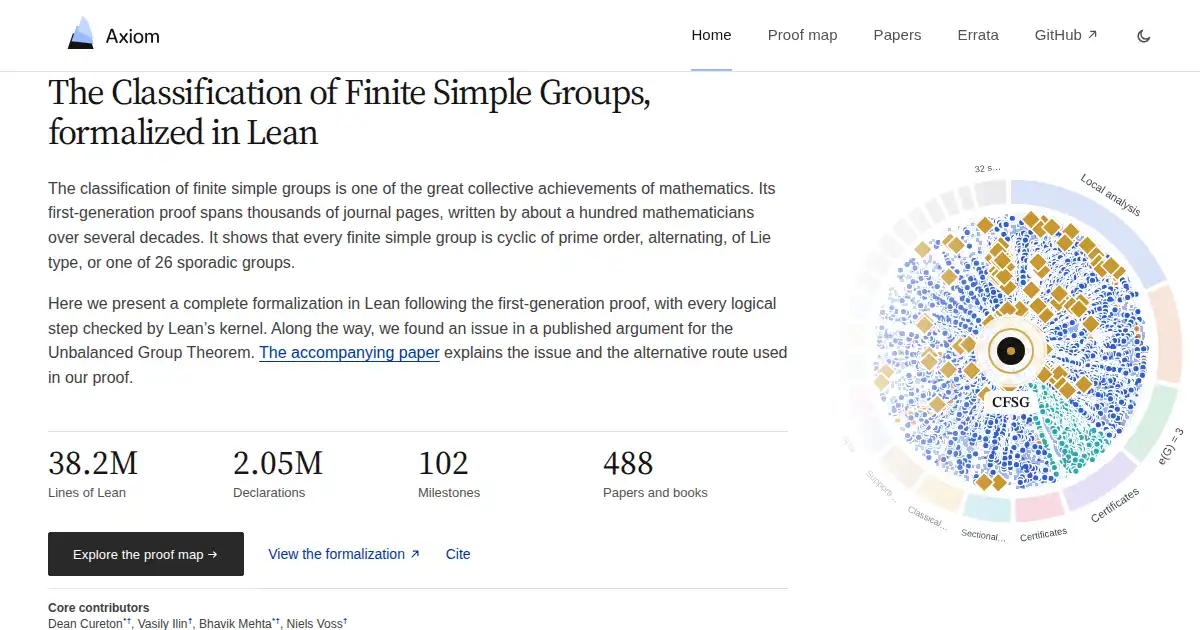
A new group theory result was found in a paper about formalizing the first-generation proof, which contradicts a published route to the Unbalanced Group Theorem. An alternative argument for simple groups is given using Solomon's 1976 theory of maximal 2-components.
You can lease a new Mac with low monthly payments and upgrade at the end of your term. Apple's products prioritize user privacy, using on-device processing and private cloud computing to protect data.
Researchers in the US and Canada are tracking Monarch butterflies using Bluetooth-enabled radio-pulse tags, providing detailed data on their migration patterns. The technology allows for real-time monitoring of the butterflies' paths and speed, helping scientists understand how they navigate around challenging areas.
The company Hex has released a new version, Hex 4.0, after starting from scratch due to issues with its previous architecture and the rise of agent-based data work. The company has raised $100 million in funding to continue building this new platform.
The new LFM3 model family offers a multimodal approach with text, vision, audio, and decision models on one shared backbone. The first release covers 2B parameter range models that can be fine-tuned locally and run efficiently on any device.
Two Democratic senators are demanding the Trump administration release a secret court's findings on its surveillance program, which they claim is being withheld until Congress reauthorizes it. The ruling was due to be released within 180 days but has not been made public despite the deadline passing in September.
Micron is abandoning its 4F² DRAM technology, instead focusing on scaling existing 6F² designs and developing new architectures like 3D DRAM. The company believes that the challenges of capacitor scaling in 3D DRAM make it a more viable long-term strategy than pursuing smaller geometries.
Ethiopia's land leasing system, which aims to capture land value for public benefit, has faced challenges in its implementation. The country's constitution and laws have evolved over time to address these issues, but weaknesses persist.
GoAhead, used in hundreds of millions of IoT devices, has three independent bugs that can leave revoked client certificates accepted and encrypted sessions recoverable to an observer. The bugs affect GoAhead's TLS integrations with OpenSSL-compatible backend, LibreSSL legacy verifier, and Mbed TLS backends.
The US government has partnered with Claude Enterprise to offer a 40% discount on its products and services, including coding and cybersecurity tools. This agreement aims to help government agencies solve complex problems without significant upfront costs, estimated to save the government $1 billion.
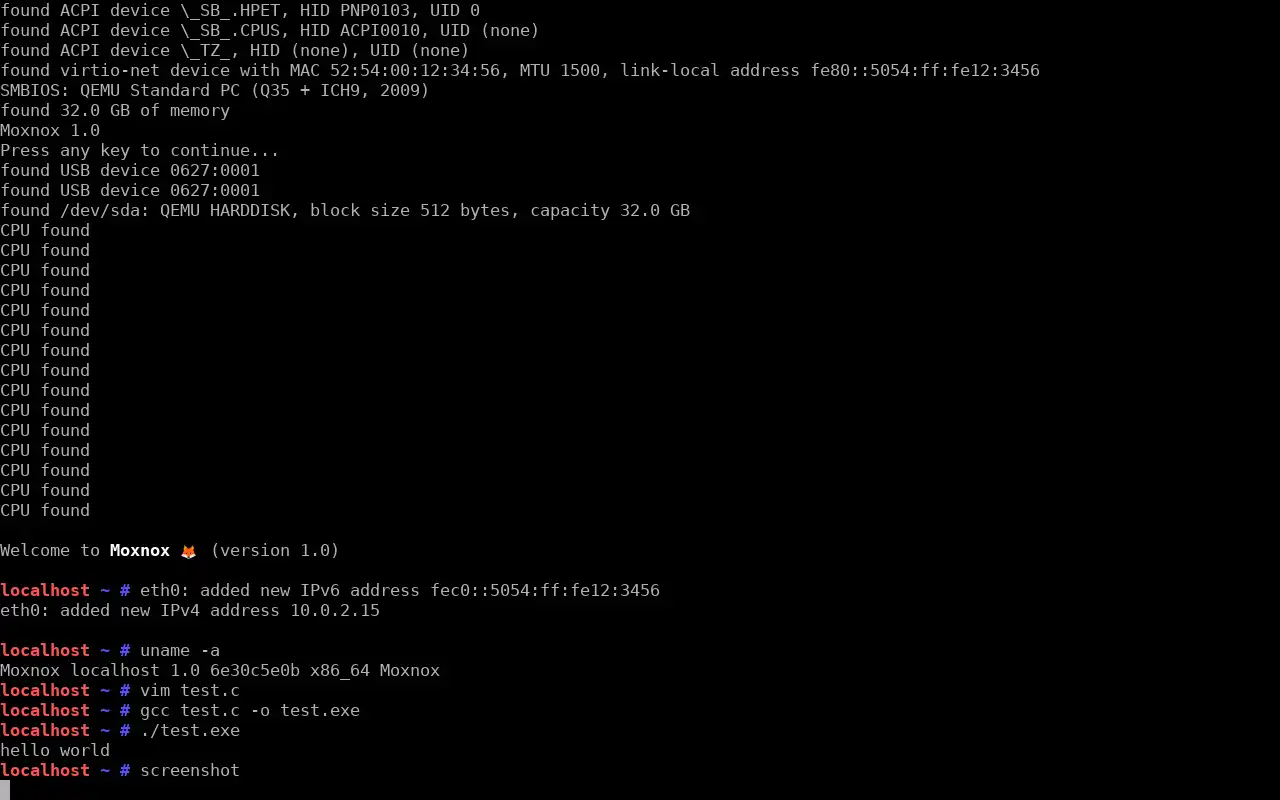
Moxnox is an NT-like, POSIX-compatible hobby OS which runs on btrfs and is capable of self-hosting. That means: Its design, such as the choice of syscalls, is modelled after that of Windows NT... ...yet at the same time, it should be capable of running software written for Unix-like systems, provided that they have been recompiled for it, and comes with a full GNU base system The btrfs code ...
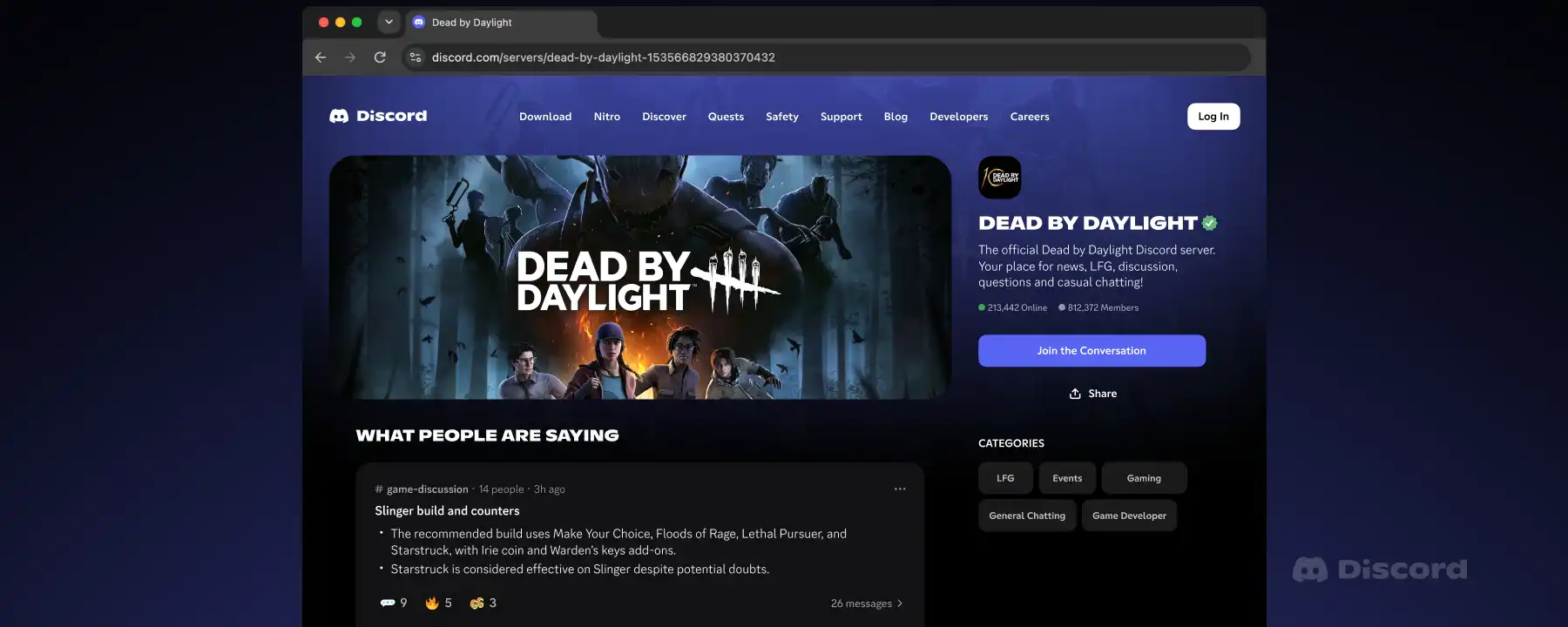
Discord is introducing Server Web Pages and Channel Messages to make it easier for users to find answers in Discoverable Servers. These features will start rolling out on November 16, 2026, allowing admins to choose which channels are discoverable from the web.
Amazon is scaling back its in-house AI labs and focusing on a single "frontier-model effort" led by Pieter Abbeel, diverting resources from other models. The company is gutting most of its Nova AI models, including text-based and video/image-generating ones.